

It is October, and I just finished my travel reimbursements for April.
Six months of conference receipts. Hotel folios buried in email. Taxi receipts with no meeting name on them. Every month the pile got harder to start.
I am not alone. In the 2018 Federal Demonstration Partnership survey, federally funded PIs estimated that 44.3% of their research time went to administrative requirements rather than research. Delay has a cost too. The IRS uses 60 days as its benchmark for timely expense accounting, and some universities tax claims filed later.
So I decided to give ChatGPT a try. It matched receipts to meetings, sorted them by trip, and flagged what was missing. I still scanned a stack of paper receipts, but a job I had dodged for half a year took one sitting.
Then it hit me that the whole thing was backwards.
I used AI to clean up a mess after the fact. The better version never lets the mess form.
That is the idea behind always-on AI agents. In the past 2 months, xAI, Meta, and OpenAI each shipped their own version of it. The question for researchers is which parts of academic life an agent should handle on its own, and which should reach you at all.
👋🏽 Quick announcement: Research Boost 2.0 is live with zotero integration. No more manual citation handling. Try it here for your next manuscript or grant writing: https://researchboost.com/
1. What are always-on AI agents?
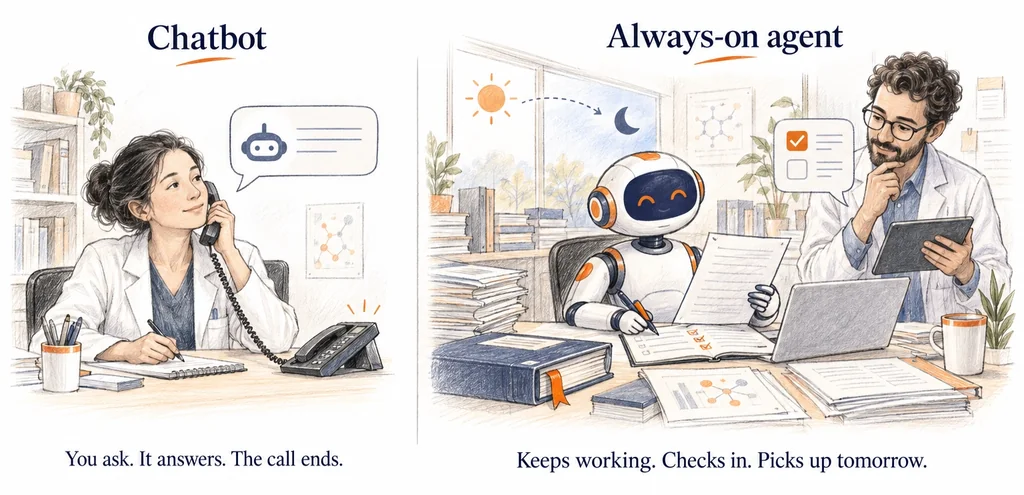
A chatbot works like a colleague on the phone. You ask, it answers, the call ends.
An always-on agent works more like a research coordinator with a desk and a computer of their own. You hand over a job. They keep working between your meetings, check in when something needs your decision, and pick up where they left off the next day.
Three launched within 7 weeks:
- Muse, from Meta. Launched September. You message it in its own app or WhatsApp for schedules, shopping, and turning goals into plans. It became the top free app on the US App Store for 12 straight days and passed 5 million downloads.
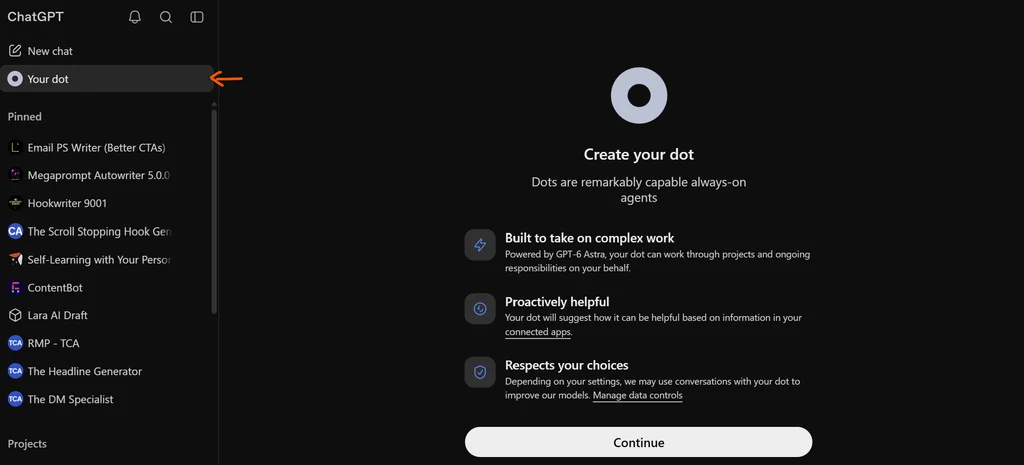
- Dots, from OpenAI. Announced September 29 (on its dev day) and built into ChatGPT. You reach your dot in ChatGPT, Slack, or Teams. You should see this option in your paid plan as below. Enterprise, Edu, and Healthcare workspaces can turn on the beta through their administrator, which matters if your university runs ChatGPT Edu.
- Grok Bot, from xAI. The quiet first mover, in early beta since August 11. Show a bot a job once, and it saves the steps as a routine it runs on its own.
What they have in common
All three run on their own computer in the cloud, so the work continues when your laptop is closed. They all reach into your apps with permission. Dots alone connect to more than 4,000 apps.
We debate which model is smartest, but what decides whether an agent is useful is what it can see.
As academics, our lives are scattered (true for atleast me). One meeting’s paperwork lives in 5 places: work email, personal email, a hotel PDF, an abstract acceptance thread, your iphone photos. Until now, the only place those pieces got connected was your own head, usually 6 months late. Once an agent can see across them, you can ask questions no single app can answer:
- Which conference trips this year still have no reimbursement filed?
- Which coauthors am I still waiting on for revisions?
- Which reviewer invitations did I accept this year, and which are overdue?
2. Synchronous vs. asynchronous agents
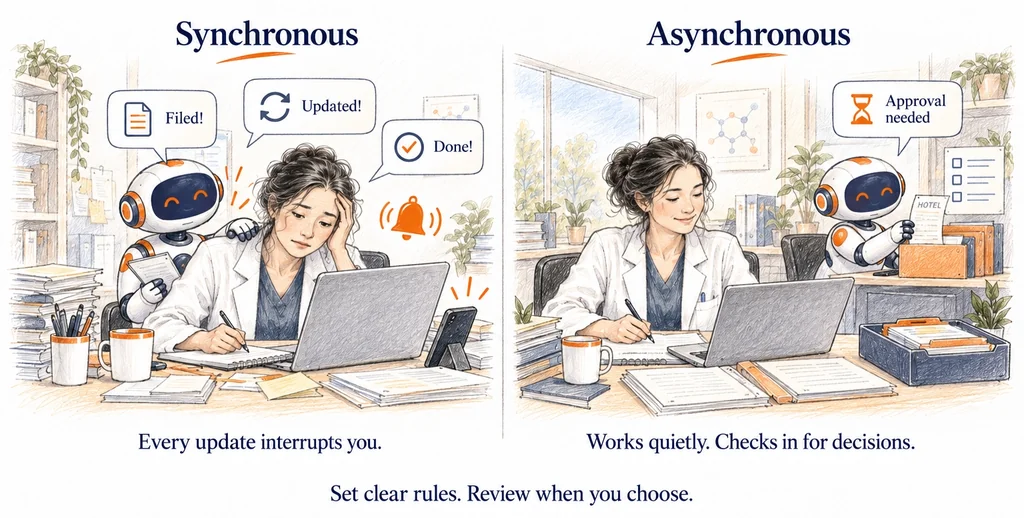
Slack is synchronous. It pings you, and every message competes for your attention right now.
A message board like Circle is asynchronous. People post. You read when you choose to.
Most of what I want from an agent belongs in the second category. I do not want a notification that my hotel receipt has been filed. I want the receipt filed. xAI pitches Grok Bot the same way: bots finish jobs and return only for approval.
There is evidence behind this. In a controlled study, interrupted participants finished tasks in less time but reported more stress, frustration, time pressure, and effort. People compensate for interruptions by working faster, and they pay for it in strain. An agent that pings you about every small thing adds to the noise it was meant to reduce.
One caution on defaults. When a Dot works proactively, it uses tools restricted to read-only. Good for safety, but it means quiet filing work still needs an explicit rule from you.
3. Example 1: Reimbursements, from reactive to proactive
My October cleanup was reactive. Now picture the proactive version:
- A registration confirmation lands. The agent creates a folder: Reimbursements > 2026 > [Meeting name].
- Your flight receipt arrives. Into the folder.
- The hotel emails a folio at checkout. Into the folder.
- You photograph a dinner receipt. The agent matches date and city to the meeting and files it.
- The meeting ends. One message: “Folder complete except the airport taxi. Ready to submit.”
Nothing in that sequence needed to interrupt you. Filing a receipt is low impact and easy to undo. The single message comes when there is a decision only you can make, well inside the 60-day window.
Two limits. You still press submit, because a claim in your name is your responsibility. And receipts carry card digits, so check what your institution permits before connecting work email to any third-party agent.
4. Example 2: Literature updates, where an always-on agent is overkill
Split updates by urgency:
- Urgent. A practice-changing trial. A paper that answers the question in your manuscript under review. A retraction of a study you cite. These deserve a ping today.
- Important but not urgent. The steady flow of cohorts, reviews, and secondary analyses. A weekly digest is right.
The second category is most of the literature, and it needs only a scheduled task. Both Claude and ChatGPT can run a prompt on a schedule.
Mine runs every Saturday. It searches for new articles relevant to my work in psoriatic arthritis and spondyloarthritis and sends a short digest. I find it more intelligent than my PubMed alert. I keep both anyway.
The PubMed alert is old school: key authors joined by OR, combined with AND with the disease terms.
("Author A"[au] OR "Author B"[au] OR "Author C"[au])
AND ("psoriatic arthritis" OR "axial spondyloarthritis")
It is exact and reproducible. It finds what matches the string and nothing else. That is also its limit. It misses the strong paper from an author not on my list, the study that says “spondyloarthropathy” in the title, or the genetics paper that never names psoriatic arthritis in the abstract.
Claude’s search works by meaning, so it catches studies that share no keywords with my query, and tells me in a line why each might matter. What it gives up is reproducibility. Run it twice and you may get a different list.
Coverage is the other gap. When researchers tested two AI search tools against four published glaucoma systematic reviews, neither tool found every study the PRISMA search had, and in one review the better tool recovered only 2 of 32. Those were 2023-era tools, but it is a good reason to keep the reproducible search running.
So I get two emails, and together they miss less than either alone. It is the same hybrid logic I teach for literature reviews:
- A structured keyword or MeSH search for coverage you can reproduce
- An AI semantic search for what the keywords miss
- Your own reading and judgment on top
An always-on agent adds value only in the urgent tier, flagging the trial the day it posts. For everything else, pick the lightest tool that fits.
5. A simple rule: Do, Digest, Ping, Ask
Put every task in one of four lanes.
- Do. Low impact, easy to undo. The agent acts and keeps a log. Filing receipts, renaming PDFs, sorting downloads.
- Digest. Useful but not urgent. Batched into a weekly summary. Literature updates, citation alerts, abstract deadlines.
- Ping. Urgent and important, and rare enough that you never learn to ignore it. Clinicians know what happens when this lane gets crowded: drug safety alerts are overridden in 49% to 96% of cases.
- Ask. Anything that leaves your hands. Sending email in your name, submitting a claim, spending money, touching patient data. The agent prepares and waits for your yes.
Keep the Do lane small. The list of tasks you can leave to AI unchecked is still short, because the models still make mistakes. Spam filtering belongs there. Receipt filing does too. A manuscript decision does not.
Setting up each lane is ordinary delegation: what you want done, where the agent’s authority ends, what done looks like, and what to check before calling it finished.
The Ask lane also covers what still breaks. Your booking email says the hotel was $1,240. The folio says $1,185 after a refund. No agent has a clean answer yet for two sources that disagree, and OpenAI itself says Dots can still make mistakes.
Context cuts both ways. An agent that sees only your work email builds an incomplete reimbursement folder. The more it can reach, the more useful it gets, and the more deliberately you need to decide what it should reach. Patient data stays out of any tool your institution has not approved.
6. Where open models fit: the agent in a silo
My agent is connected to my personal Gmail, not my institutional Microsoft email. That is the right call. Work email holds grant drafts, reviewer correspondence, and messages that brush against patient care, and none of that belongs in a consumer app my institution has not vetted. But it caps what an agent can do for my actual job. Most of my reimbursement paperwork might live in my work email.
The way out may be an agent that never leaves your computer.
Open-weight models are models anyone can download and run on their own hardware, and they are no longer far behind. Since January 2026, the best open-weight models have trailed the frontier by about four months on average, with Chinese labs such as Moonshot (Kimi), MiniMax, and DeepSeek leading the open pack. Smaller models now fit on a desk: a single consumer graphics card can run models that match the frontier of 6 to 12 months earlier.
The agent software exists too. OpenClaw, the open-source agent Meta reportedly modeled Muse on, can run entirely on local models through Ollama.
One distinction matters with Chinese models. Running the open weights on your own machine keeps your data on your own machine. Using DeepSeek’s own app is a different thing: its privacy policy says data is stored on servers in China. Download the weights. Definitely skip the hosted chatbot.
This is not ready for most researchers yet. NYU Shanghai’s IT team warns that OpenClaw can pose serious security risks when misconfigured and is meant for technical users. A local model also needs a capable machine, and your institution still decides what touches work email.
But the gap is closing fast. I expect a personal agent running on our own computers, completely in a silo, reading the institutional inbox without sending a byte anywhere. That is the version that will file the work receipts too.
7. Start with one quiet job
You do not need to hand an agent your whole academic life. Start with one task in each of two lanes.
- Do: file every conference receipt into a folder by meeting, as it arrives.
- Digest: schedule a weekly AI literature search, and run your PubMed alert beside it for a month. Compare what each catches.
Have you tried an always-on agent or a scheduled task in your research yet? Reply and tell me which job you handed off first. I read every response, and the best examples will make it into a future post.
Top Papers on AI in research this week
- Research Papers as AI Agents – A Stanford team built a system called Paper2Agent that turns a published paper and its code into an AI agent you can question in plain English. Of 100 biology papers tested, 74 became working agents. Those agents scored 91.2% on 300 questions, versus 80.3% for Claude working straight from each paper’s code. Three linked agents also helped flag GPR137 as a likely psoriasis gene. The work appeared in Nature.
- LLMs Struggle to Update Clinical Judgment – A new preprint tested whether LLMs revise their predictions as ICU patient data evolves. Their updates were often unreliable. With the evidence held fixed, raising the prior risk from 10% to 90% shifted estimates by 26.2 percentage points. Models also reacted more strongly to worsening respiratory signs than to matched improvements. Prompting did not fix either problem.
- Stray Details Derail Clinical Reasoning – Incidental text in a patient note, such as a bystander’s condition or a medical term used in a non-clinical sense, can disrupt LLM reasoning. The authors traced the effect to specific attention heads. Suppressing those heads also hurt reasoning on clean cases. That suggests simple guardrails against distraction could backfire. The mechanistic tests used open-weight models only.
- MedGemma in Nature Medicine – Google’s open MedGemma models, built on Gemma 3, read both medical images and text. They beat similarly sized generative models while keeping their general abilities. Fine-tuning improved them further. That makes them practical starting points for new clinical tools.
- Trust and Autonomy in Clinical AI Agents – A Nature Medicine commentary examines a study of locally deployed AI agents that refer uncertain cases to humans using consistency-based gating. The commentators flag a gap. The study did not test what happens after a case is referred.
- Scoring Clinical Reasoning in LLMs – Exam-style accuracy does not show that a model reasons well over real patient records. This narrative review maps existing rubrics from medical education, clinical benchmarks since 2023, and long-form evaluation methods. It examines six dimensions, including temporal synthesis, counterfactual reasoning, and calibrated uncertainty. The authors identify what still has to be combined or built.
- OpenAI’s 722 Math Manuscripts – On October 6, OpenAI posted 722 manuscripts, grouped into 372 problem families, from an unreleased internal model. A public GitHub repository includes Lean proof formalizations for some of them. OpenAI says verification varies and that citations still need work. Nature reported strong objections from mathematicians.
Top Papers on AI in education this week
- Offering an AI Tutor Lowered Grades – A University of Maryland randomized trial covered 2,379 undergraduates and 30 instructors. Sections offered a GPT-4o study assistant recorded final grades 0.37 standard deviations lower. Learning management system participation was 0.90 standard deviations lower. Only about 15% of students used the tool even once. The trial tests what happens when access is offered. It does not test well-designed tutoring, so treat it as a deployment warning.
- Goblins AI Math Tutor Study – University of Maryland researchers studied 6,065 middle schoolers in Arizona’s Deer Valley district. Students who solved at least two problems a week on the Goblins AI math platform scored 0.11 standard deviations higher on MAP math, about three months of extra learning. The design was quasi-experimental, so selection bias may explain part of the gain. Only 164 students reached 20 problems a week. Accelerate is working to launch a randomized trial this school year.
- Sherpa: Teaching LLMs to Teach Adaptively – Researchers trained teacher models with multi-turn reinforcement learning against simulated students who have different learning preferences. Across all student archetypes, the trained teachers raised student performance by 20.5 percentage points on average. The students are simulated, so real classroom results remain unproven.
- Model Agreement Is Not Validity – LLMs agreed with one another far more than with humans when labeling five student failure modes in K-12 math tutoring dialogue. Cross-model agreement reached kappa .755 to .781. Human-LLM agreement was only .524 to .597. The authors warn that consensus among models can look like correctness without being valid evidence of what a learner is thinking.
- LLM Grading Looks Better Than It Is – Researchers compared three commercial LLMs with human instructors on 3,041 student answers to 50 open-ended computer science questions. The rubric scores and feedback looked thorough. The comments rarely caught student misconceptions, at roughly 5 to 7%. Grading accuracy also varied by domain, with procedural topics most reliable. Human oversight remains necessary.
- TutorLoop: Feedback From Sensors and LLMs – TutorLoop reads real-time cognitive states from webcam signals. A deep reinforcement learning agent chooses which type of feedback to give across the whole learning session. An LLM tutor then rewrites that feedback into natural, context-aware messages. Unlike earlier LLM tutors, it does not depend on scenario-specific content. The authors ran a participant study comparing the full system with partial versions.
- Homework Safeguards in ChatGPT for Teens Can Be Bypassed – Common Sense Media’s Youth AI Safety Institute ran more than 4,000 prompts on accounts registered to 13 to 17 year olds. It rated the teen experience an unacceptable risk. Study mode could be bypassed by choosing “Show me the answer,” which returned finished homework. The Institute discloses funding from sources that include the OpenAI Foundation.
- AI in the STEM Classroom – Professors interviewed by C&EN say overreliance is their main concern. In an AAC&U survey, over 90% of respondents worried about overreliance and weaker critical thinking, yet 61% saw benefits for enhancing and customizing learning. A Digital Education Council survey found one-fifth of students struggle more with problems without AI. Some educators are testing ways to use AI that build skills instead of replacing the work.